
HEIC · WEBP · PNG · JPG
Convert images in Google Drive, a whole folder at once.
Someone wants JPG and you have WEBP, or a folder of iPhone photos in HEIC. thefilosphere is a Chrome extension that converts the images you pick in Google Drive to WEBP, PNG or JPG in one run, and saves the results to a new Drive folder. Nothing is uploaded to a converter site.

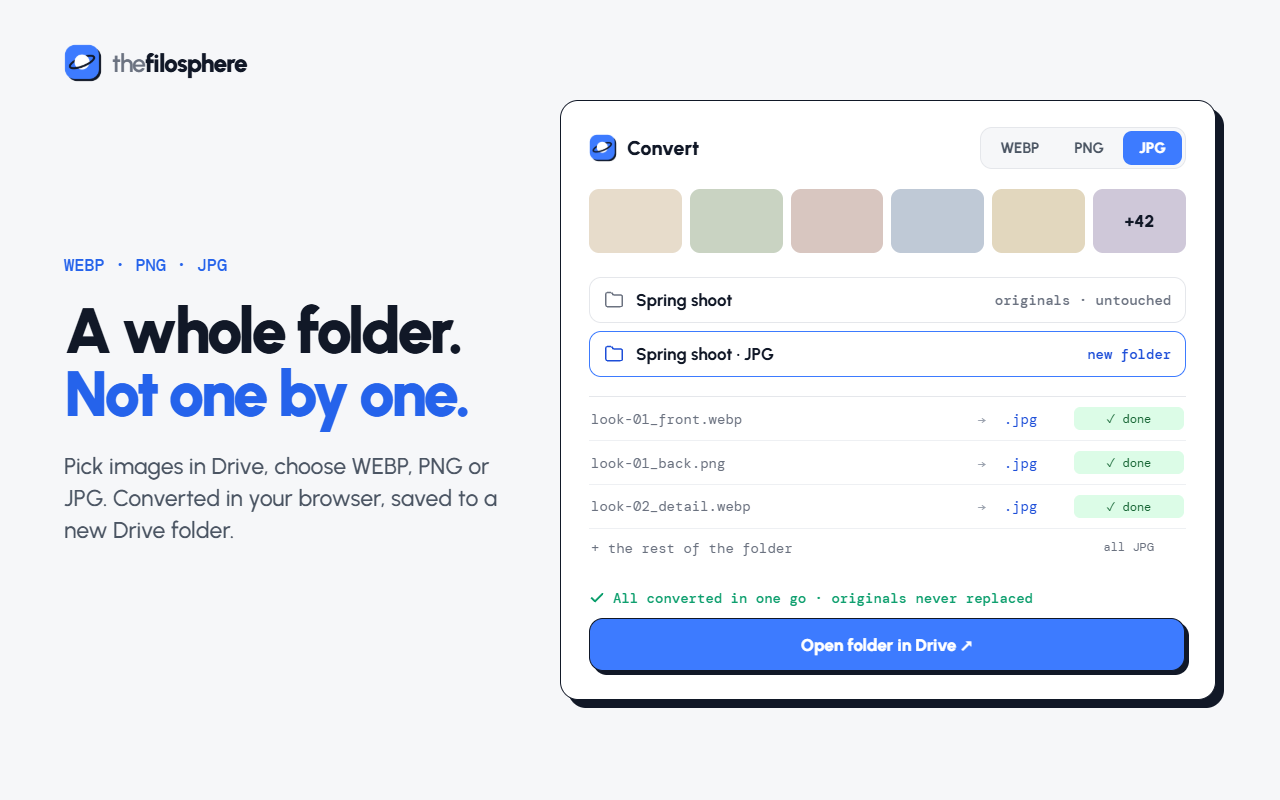
How it works
- Pick the images in Google’s own file picker. Open a folder, click the first image and Shift-click the last to select them all.
- Choose the format: WEBP, PNG or JPG, and a quality: Smaller, Balanced or Sharpest.
- Press Convert. Each image is converted on your computer and saved to a new folder in Drive.
- Need links too? Switch on “Then make a link sheet” and the converted images go straight into Link sheet.
Your originals are safe
- Originals are never replaced. The converted copies go into a new folder next to them.
- Don’t need the originals? One click moves them to Drive’s trash, and Undo brings them back.
- No converter website sees your images. The conversion happens inside your browser.
iPhone photos: HEIC to JPG
Pick a whole batch of HEIC photos, choose JPG and press Convert. iPhones save photos as HEIC, and plenty of websites and upload forms won’t take it. thefilosphere converts them inside your browser, so your photos never go to a converter site, and the JPG copies land in a new Drive folder next to the originals.
Which format to choose
- JPG for photos that need to open everywhere.
- WEBP for photos on a website: smaller files at the same quality.
- PNG for logos, graphics and anything with a see-through background. A photo saved as PNG gets much larger.
Good to know before you start
- It reads PNG, JPG, WEBP, GIF, BMP, AVIF and HEIC images, including iPhone photos. RAW files are not supported.
- The converted files are uploaded to Drive, so a large batch takes as long as your connection allows.
- It runs in Google Chrome on a laptop or desktop, and the side panel must stay open until it finishes.
- You can also convert while unzipping: the Unzip tool has a “format on the way in” option.
Other ways, and when they’re better
Converting inside Drive isn’t always the best fit. Here’s when something else is.
By hand. Download the image, convert it on your computer, upload it again. Fine for one or two.
HEIC converter extensions. They convert on your computer. Better for photos already on your computer. For photos in Drive, you download them first and upload the JPGs back.
CloudConvert or Zamzar. Converter services with apps you connect to Drive. Better when you need formats beyond images. The files are converted on their servers, and the free plans have daily limits.
thefilosphere. Better for a whole folder of photos that’s already in Drive. It converts in your browser and puts the copies in a new folder next to the originals. RAW camera files aren’t supported, and it runs in Chrome on a computer.
Questions
Can Google Drive convert WEBP to JPG?
Not by itself. Drive stores and previews images but has no convert button. thefilosphere adds one: pick the images in Drive, choose JPG, and the converted copies are saved to a new folder.
How do I convert HEIC to JPG in Google Drive?
Drive can’t do it by itself: it stores and previews HEIC photos but has no convert button. With thefilosphere, pick the photos in Drive, choose JPG and press Convert. The JPG copies are saved to a new folder, and the originals stay where they are.
Can I convert every image in a Google Drive folder at once?
Yes, in one run. In thefilosphere’s Convert tool, open the folder in Google’s file picker, click the first image and Shift-click the last. Choose the format, press Convert, and the copies go into one new folder next to the originals.
How do I convert an image in Google Drive to JPEG?
Drive has no convert button for images. The manual way is to download it, convert it on your computer and upload it again. With thefilosphere, pick the image, choose JPG (that’s JPEG), PNG or WEBP and press Convert. The original stays where it is.
Are my images uploaded to a server to be converted?
No. Each image is converted inside your browser on your own computer. The only place the files go is your own Google Drive.
Will it overwrite my original images?
No. Converted images are saved to a new folder. The originals stay exactly where they are.
Why is my converted PNG bigger than the original?
PNG keeps every pixel, so a photo saved as PNG is much larger than the same photo as JPG or WEBP. Use JPG or WEBP for photos and PNG for logos and graphics.
Can a Chrome extension convert HEIC files that are already in Google Drive?
Yes. thefilosphere opens next to Drive: pick the HEIC photos in Google’s file picker, choose JPG and press Convert. The JPG copies go to a new folder next to the originals, converted in your browser.